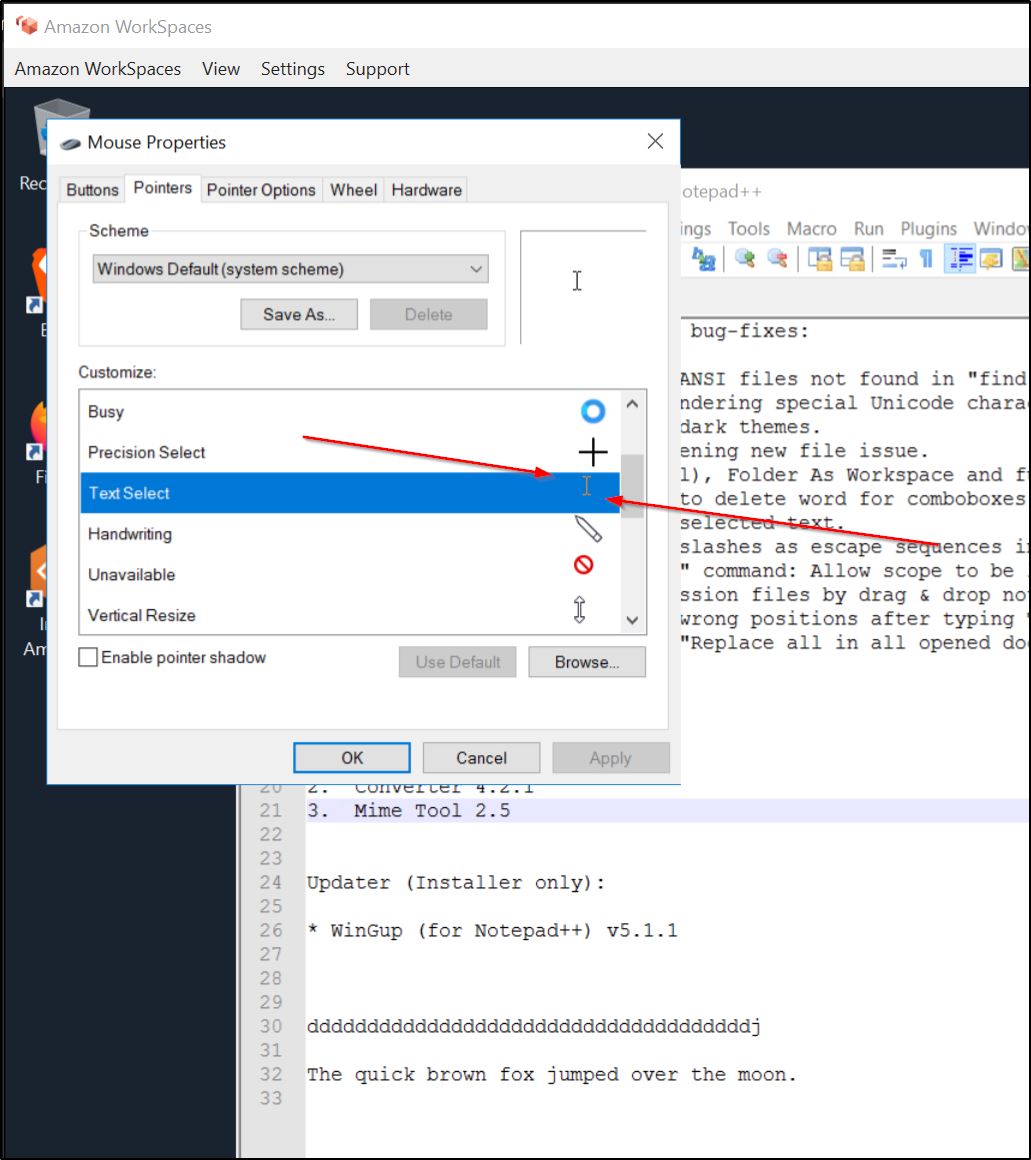
So I’ve check this on a couple different workspaces on a couple different performance levels. Full screen or windows. Whenever I have something open that allows typing.. notepad, notepad++, the url bar in a browser, etc.. anything I can “type” in. The mouse movement over that text area is very choppy. The rest of the virtual machine is very smooth.
Seems to be anytime the mouse pointing turns to the “I” text cursor.
EDIT: this is a windows desktop. Using amazon workspace client.
I have never had issues with it being choppy, but I have seen times when the I cursor is difficult to see at some resolutions. In my case, it was addressed by changing the cursor style to a thicker one. It’s been some time since I had to do that though. Is this on a PCoIP or WSP workspace?
PCoIP. Great suggestion. I just now went in and changed the text cursor to something else. Anything else I choose but the actual text “I” cursor is buttery smooth. And if I go back to the “I”, it’s choppy. I can see it just fine. It’s pretty dark and bold already. Odd… https://imgur.com/a/3IjGa2o
I actually went and found a different cur “I” file. Set it to use that and it’s smooth. I don’t know what it doesn’t like about the default “I” cur, but somethings weird.
Same here. Never seen it, and we still use Workspaces despite it being a lot more expensive in exchange for simplicity. I’ve even used it on ISDN, and it wasn’t that bad.
I’d start troubleshooting by running task manager both locally and on the remote workspace to try to see if it’s a client or server problem.