Cannot connect to HTTP from EC2 instance

Hello,Weird problem I have :

Dist : Centos 8

I can ping outside world :

ping production.shippingapis.com
PING fp27F9.wpc.mucdn.net (72.21.81.70) 56(84) bytes of data.
64 bytes from 72.21.81.70 (72.21.81.70): icmp_seq=1 ttl=45 time=8.59 ms

but I can’t curl … it just timesout.I can’t even curl https://www.google.com

This is my configuration :

  • The Security Group is default. “All Traffic” is ALLOWed for 0.0.0.0/0 for both Inbound and Outbound.
  • The “Network ACL” :
    • The inbound basically allow traffic 80 / 443 /22 (and that works perfectly.
    • The Outbound rules :
      • 100 ALL Traffic 0.0.0.0/0 ALLOW
      • ALL Traffic 0.0.0.0/0 DENYThat last “DENY” is added by default.

*With these settings, which seems to be quite normal, what else am I missing?*Please note that :selinux is disabledno firewalld whatsoeverno iptables

firewall –cmd --state.
-bash: firewall: command not found
iptables
-bash: iptables: command not found
sestatus
SELinux status: disabled

And obviously i have access through SSH to my machine …I spent literally the couple of last two hours trying to understand what is wrong … but nothing :confused:

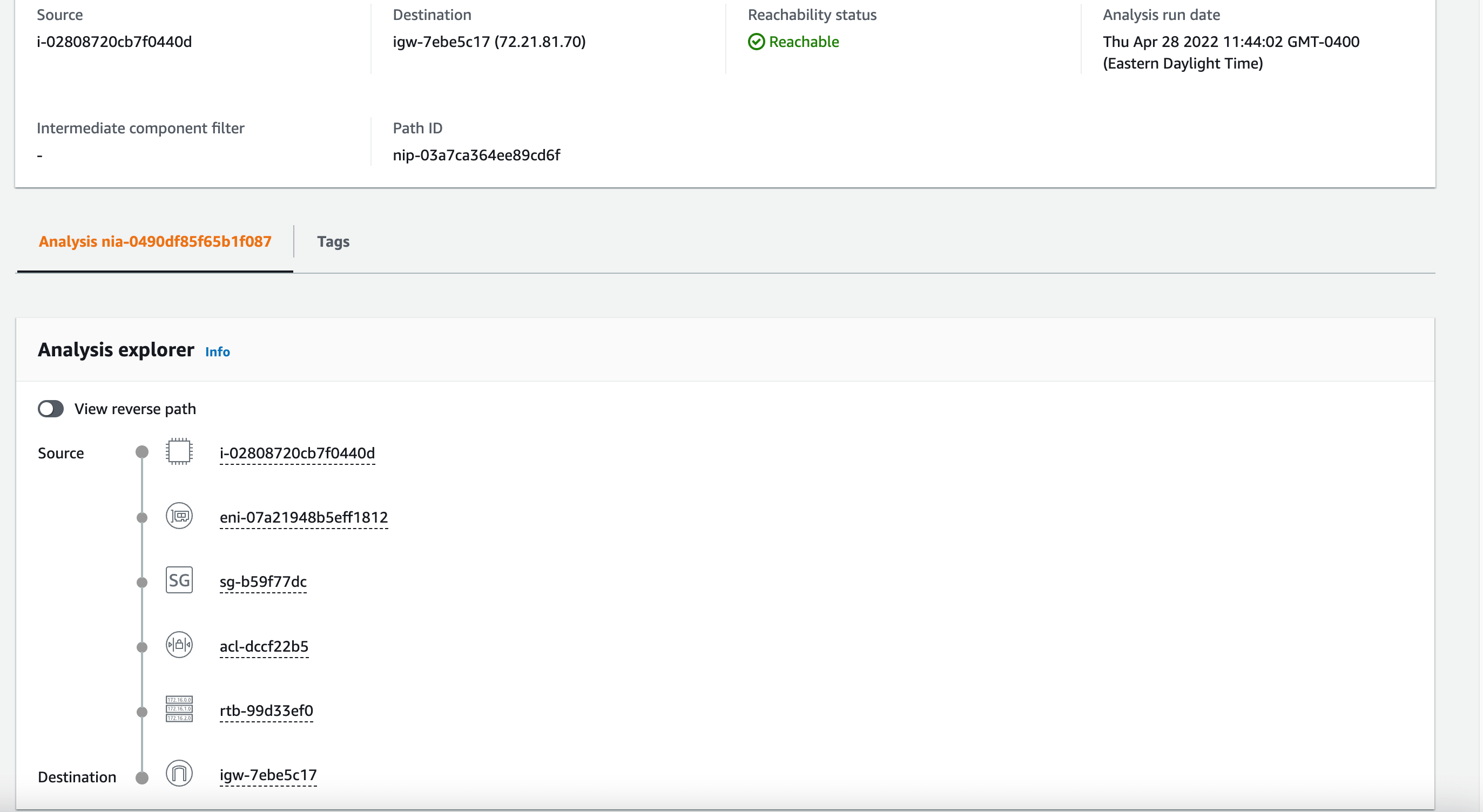
Oh I tried the reachability test :

Thanks for reading !and Thanks for any tips !

Can you curl by IP, for instance curl http://1.1.1.1/ or curl https://1.1.1.1/ ?

For the failure case, what step is it blocked at if you run curl --verbose https://google.com/ ?

curl --verbose https://google.com/

  • Trying 172.217.13.174…
  • TCP_NODELAY set
  • Trying 2607:f8b0:4020:807::200e…
  • TCP_NODELAY set
  • Immediate connect fail for 2607:f8b0:4020:807::200e: Network is unreachable

I think it’s trying with ipv6 …

u/seligman99 thank you so much for this hint ! i fixed it by disabling ipv6 !!! : D

I have no idea if this information is relevant, but when you ping you are using ICMP, and when you Curl you are using TCP.

In Oracle Cloud all traffic, except on port 22, is blocked by default, inside the instance, egress and ingress. But I never experienced such a thing in AWS, either in EC2 or Lightsail.

About the Network ACLs: I’ve never dealt with them! Did you edit them somehow? Are you aware that they are stateless, and can this fact somehow have something to do with your issue? I believe you should set the Network ACL back to its defaults and use Security Groups only, but this argument is more based on ignorance than on anything else.

i fixed it by disabling ipv6 !!! : D

Hey. Edu thank you very much for your help : but On Centos 8 : Apparently the ping (ICMP ) doesn’t use the ipv6 … however the curl does it !
So I went ahead and I disabled ipv6. and everything works as expected. .. I was kinda looking on aws security groups and acls etc. but the problem was within the system itself …
ps : I could have fixed that by configuring the ipv6 in the networking on aws.

Great!

Just for future reference… firewall-cmd has no space in between.

Keep in mind when you set up that EC2 instance, you have to supply rules for port 443 and for ICMP in the security group it’s attached to. Just clicking new instance and banging on the next button until one gets to the finish button isn’t good enough.

The ping command uses IPv4, modern Linux distros also have ping6 which will use IPv6.

Network ACLs are stateless.

So when your instance makes a connection, it sets the source port to a random high port, say 40000, and the destination port to 443. When the internet server responds, its source port is 443 and it’s destination port is 40000. This is blocked by your network ACL.

Reverse your config. Leave network ACL wide open, and use restrictive security groups (which are stateful and allow return traffic).

You need to allow ephermal ports on your NACL, the response to your Curl comes back on higher port number, linux ephermal port range is 1024-65535