I was experimenting with AWS’ new-ish drift-aware change-sets for CloudFormation to see how they work. I started with an existing stack that had a handful of resources, and one I had purposely drifted and another one, “PermissionsBoundary”, I made a change to in the template.
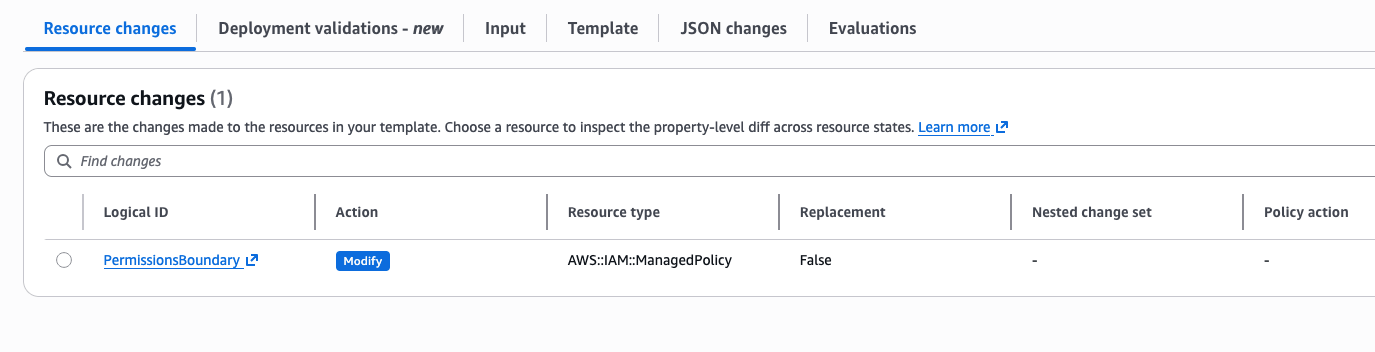
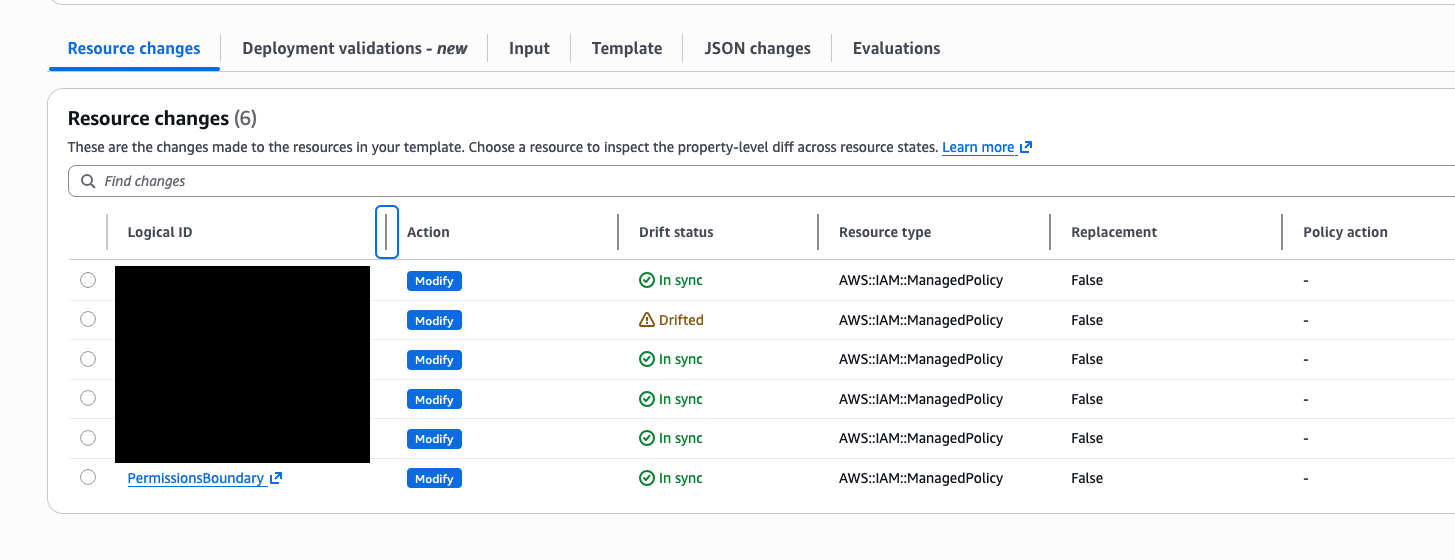
Without drift-awareness (i.e. the “old” way we’re all used to), it wanted to modify the one PermissionsBoundary resource that I had modified in the template. With drift-awareness, it wanted to modify the changed resource in the template and the resource that I had drifted (yay!) but it also wanted to modify several other resources. What’s even more strange is that drift-aware change sets show you which resources have drifted, and it indicated that these had not (see the images). When I examined the changes it was going to make, I saw a bunch of “changeset:KNOWN_AFTER_APPLY” values where the template was using !ImportValue.
What baffles me is I thought that values exported from other stacks cannot be changed if they’re being imported by other stacks. So, if this stack already is importing a value and the new template continues to import it, the value cannot change.
I was really hoping that drift-awareness was going to give us something more like ‘terraform plan’, but, with it flagging anything using !importValue like this, it makes it almost not worth using.
Does anybody know of a way to disable that behavior? Or maybe shed some light on why they made it work like this?
Related discussions:
- Why use Terraform over CloudFormation?
- Should I embrace the shift to CDK?
- CloudFormation - Can I Declare Extant Resources?
- AWS IAM Identity Center Applications - preferably with Terraform
- We are so screwed right now, tried deleting a CI/CD companies account and it ran the cloudformation delete on all our resources