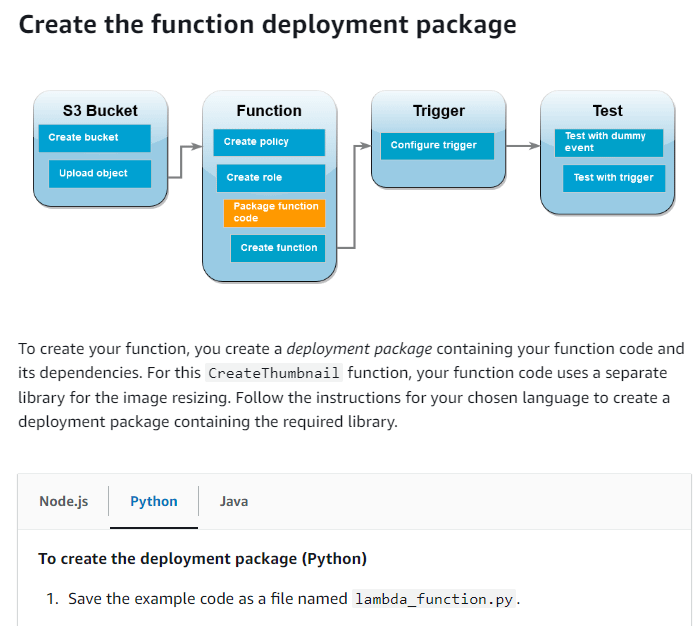
https://docs.aws.amazon.com/lambda/latest/dg/with-s3-tutorial.html
i’m looking through the documentation, and I’m stuck at “Create the function deployment package”.
Am I supposed to create the code in the Code Source in Lambda or somewhere else?
And it says we need to zip the files. Is it just lambda_function.py or both lambda_function and package? Where do I zip them from? Am i supposed to use vs code?
You can use VS code or Pycharm to write the code, and then zip the .py file and upload to the Lambda using the “Upload from” button and the code tab of the Lambda. Make sure you are using the correct version of Python on your local machine, I seem to remember having issues with PIL as I was using Python 3.11 and it requires Python 3.9. I’m fairly sure I didn’t have a “package” file to upload
What file type should the package be? Does it have to be a .txt or whatever?
Package should be a folder, into which you install Pillow
Steps 2 and 3 of the “Deployment package” section have all the commands you need to type to create the folder, install Pillow, and zip into a single zip folder
Steps 2 and 3 of the “Deployment package” section have all the commands you need to type to create the folder, install Pillow, and zip into a single zip folder
Sorry I dont get you or the documentation. I don’t understand what it means by creating a folder. Can you tell I’m new?
Why create a folder with no files inside? In the screenshot showing my code source, its not meant to be like that?
You create an empty folder then install Pillow into that folder which keeps it all in one place using <pip install --platform manylinux2014…>. Then you add the .py file and the package folder into a zip file which you upload. The package folder will contain three further folders which make up the Pillow libraries.
Looking at the screenshot, have you pasted the code into the lambda editor? The issue you will have with this is that you don’t have the Pillow libraries so the lambda won’t work. The process of creating the zip containing the .py file and the package folder is the way to get everything you need into the lambda function
how do i run the mkdir package… code shown in the website?
All that code is run in the terminal on your local machine. You want to be in the folder in which you create your .py file to start with.
You’ll zip both the lambda_function.py and any required packages together. You can use VS Code to do this, or any other tool you prefer for zipping files.
Create a folder on your local machine to store the code for your lambda function.
Copy all the code from the picture into a file called lambda_function.py
Open up your terminal
Use the terminal to navigate to your lambda function’s folder
Type in “pip install Pillow -t .” And hit enter
In your file explorer window, highlight all the files and folders within your lambda project’s folder
Zip that thing up
Upload it to lambda
Now you have a lambda function with pillow installed
Something to note, Lambda runs on some flavor of Linux which means if your local machine isn’t a Linux machine. There is a chance that your version of pillow might not work on Linux due to system dependencies.
If you get an error like this, and you’re using windows, there’s a windows subsystem for Linux (WSL) available. Install WSL, that allows you to run commands in your terminal as if you were on a Linux machine.
Open up WSL install python and pip if pip isn’t included.
Navigate back to your lambda folder within the terminal. Make sure you delete the modules you previously installed (Pillow and whatever else it came with)
Run the pip install command again and zip that bitch up again.
Then upload it to lambda and test your function
Another thing to note: make sure you don’t create a recursive loop where every time a new image is saved to the s3 bucket the thumbnail function creates thumbnail. I don’t know what to do in that situation other than hit the throttle button in the console.