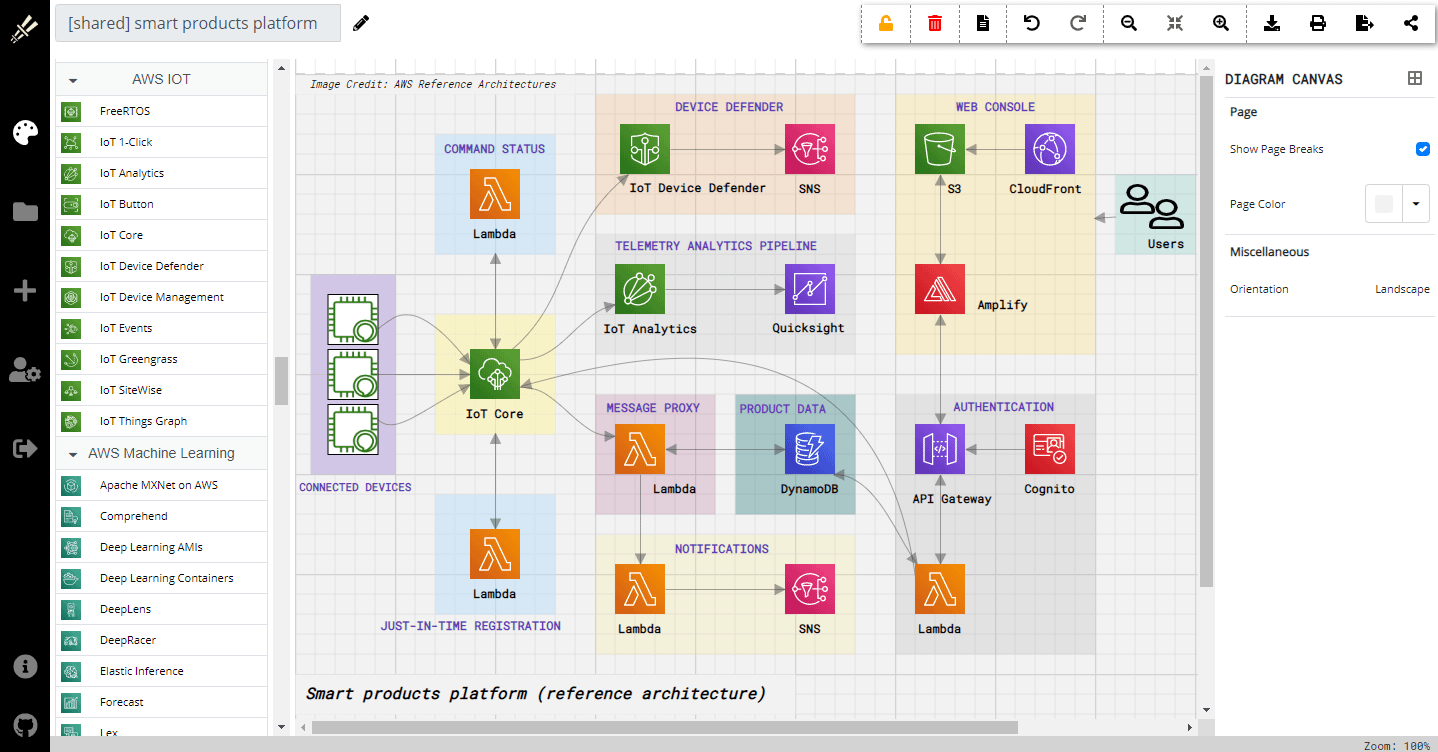
I wrote a free app for sketching cloud architecture diagrams. All AWS, Azure, GCP, Kubernetes, Alibaba Cloud, Oracle Cloud icons and more are preloaded in the app. Hope the community finds it useful: cloudskew.com
Notes:
The app’s just a simple diagram editor, it doesn’t need access to any AWS, Azure, GCP accounts.
Icons for Oracle (OCI), Alibaba, Elastic Cloud and others are already available in the app. You simply have to enable them from “user preference & settings” menu or from the “add/remove icons” link.
Icons for VMWare are coming soon. You can also request specific icons by filing a github issue.
Finally, you can always upload custom images (jpg or png) in to the diagram canvas.
What made you want to create this? Was there a gap you were trying to fill? Do this product have something unique over say Visio? Thanks for sharing it!
While there are many tools for sketching flowcharts, mind-maps, UML diagrams etc, there are very, very few drawing tools that have cloud architecture diagrams as their sole focus.
Also planning your cloud architecture requires several round-trips between your drawing tool, document editor (for architecture documentation), looking up reference architectures, googling for AWS documentation (for resource docs, pricing details etc).
CloudSkew can reduce some of these pains today:
It already has a built-in document editor (so architecture documentation + diagrams can reside side-by-side).
Links to official docs (including pricing details, SLA) for all AWS, Azure and GCP resources are available within the app itself.
Later in the year, some cloudskew features will be coming to make cloud architecture planning easier.
LOL. Please do give it a try and send me feedback. The product does indeed have some rough edges currently (it’s still in preview), but I’m trying to fix issues at my earliest.
I don’t disagree with you at all. I run a team of architects and always am looking for a better tool. Personally I have actually found myself using PowerPoint more often when I need a quick diagram. It also gives me the smart art functionality. I was just wondering if there was a list of things he was trying to fix with those other products. I was going to bring them up to my team and see what they thought.
Like any entrenched market, it will be hard due to compatibility issues. We have 100’s of thousands of existing drawings. Good luck and I appreciate your hard work.
a built-in document editor (for architecture documentation)
links to official docs (including pricing details, SLA) for all AWS, Azure and GCP resources are available within the app itself.
Also cloudskew is solely focused on cloud diagrams (i.e. no mind-maps, UML, flow charts etc). Later in the year, some cloudskew features will be coming to make cloud architecture planning easier.