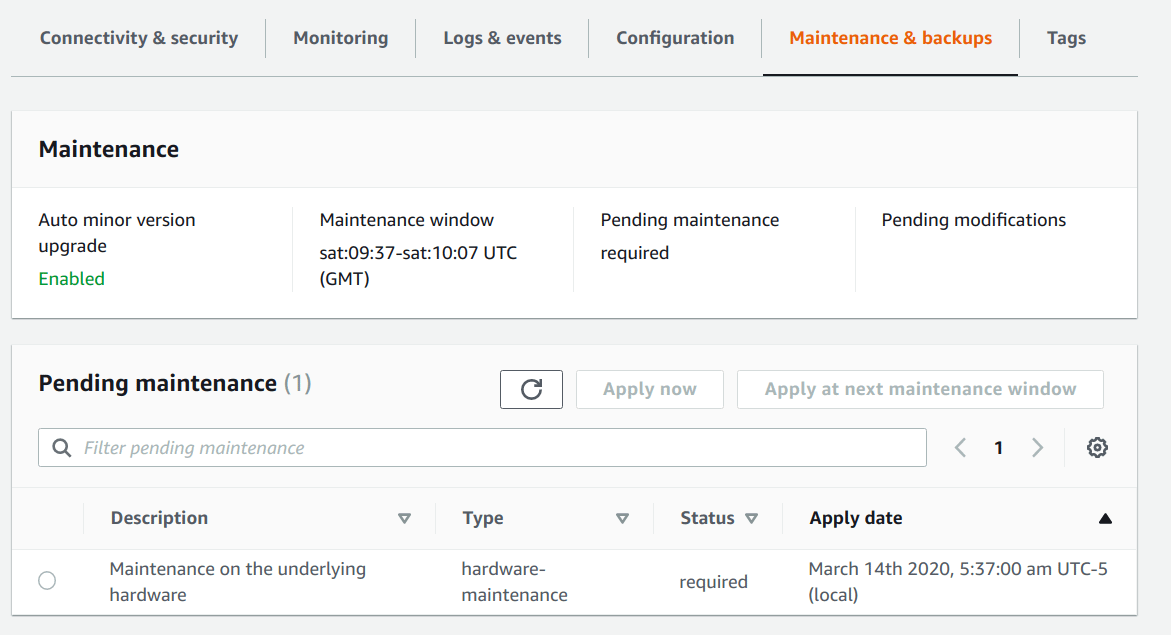
I’ll keep this brief. We received notice that one or more of our Amazon RDS DB instances are scheduled to receive maintenance on the underlying hardware in the near future. I’ve received similar notices for EC2 instances where all I really needed to do was stop the instance and start it. This would cause the instance to launch on different underlying hardware thereby allowing us to “schedule” the maintenance on our terms.
Anyways, all of this is to say does anyone know if this is true for RDS as well?
Thx
Update:
Thank you everyone for your help and feedback. It looks like the most correct way to perform this action from the console is to select the action item under “Pending maintenance” and click to choose either [Apply now] or [Apply at next maintenance window].
I haven’t received it but we were on fairly new stuff because we went HIPPA (sp?) and needed to fall over to encrypted. Our only risk was the CA cert expiration which merely required a reboot.
Unfortunately this particular RDS instance is not Multi-AZ… it’s a DB for our staging environment but still heavily used by both employees and select “beta” testers. We have a regularly scheduled maintenance window, I just wanted to know if I could “schedule” the operation (or down time) as apposed to telling the team that sometime between these 2 dates
Ya we went through all of the CA cert expiration stuff as well. That change was a reboot but based on my EC2 experience, only when an instance is actually stopped and started does it actually change physical hosts. I suspect Amazon has a way to flag a host to prevent new instances from spinning up on it which is why this works.
What others said about scheduling is true, but keep an eye on the notice you got to see whether it’s about “maintenance” or “degradation”. The degradation ones usually come with a short timeframe and a message stating “your instance may already be in a degraded state” or the likes, meaning you might not have the choice.
Yea… I was very careful to read through it a few times checking just that. Here’s the whole message but you can see this one is specifically about maintenance.
We are contacting you to inform you that one or more of your Amazon RDS DB instances listed in the ‘Affected resources’ tab are scheduled to receive maintenance on the underlying hardware between 2020-03-11 13:00 UTC (Wednesday) and 2020-03-18 12:59 UTC (Wednesday). You can view the scheduled maintenance time and perform opt-in actions on the RDS Console, using the AWS CLI or the AWS RDS API.
Single-AZ deployments will be unavailable for a few minutes in the instance’s maintenance window.
Multi-AZ deployments may be unavailable for the amount of time it takes a failover to complete, usually about 60 seconds, also in the instance’s maintenance window. For more details refer to the email sent to your system account.
Please review the maintenance window or take appropriate opt-in action for each affected DB instance to minimize the impact of this maintenance on your application.
Love it when the AWS community comes together like this. I, too have an RDS that’s set for ‘scheduled maintenance’ (I’m guessing they’re refreshing underlying hardware based on all of these reports), but my one affected instance (of 68) is Multi-AZ, so I’ll just let AWS trip it over at their desired time.
Unfortunately, this does not necessarily work even if you have multi-az enabled. Near as I can tell, rebooting brings you up on the same hardware: we tried this last weekend and although the reboot with failover worked, it did not clear the required maintenance. We are going to have to click one of the “apply” buttons. According to [this](https://repost.aws/knowledge-center/rds-required-maintenance), that will leverage Multi-AZ to minimize downtime via failover.