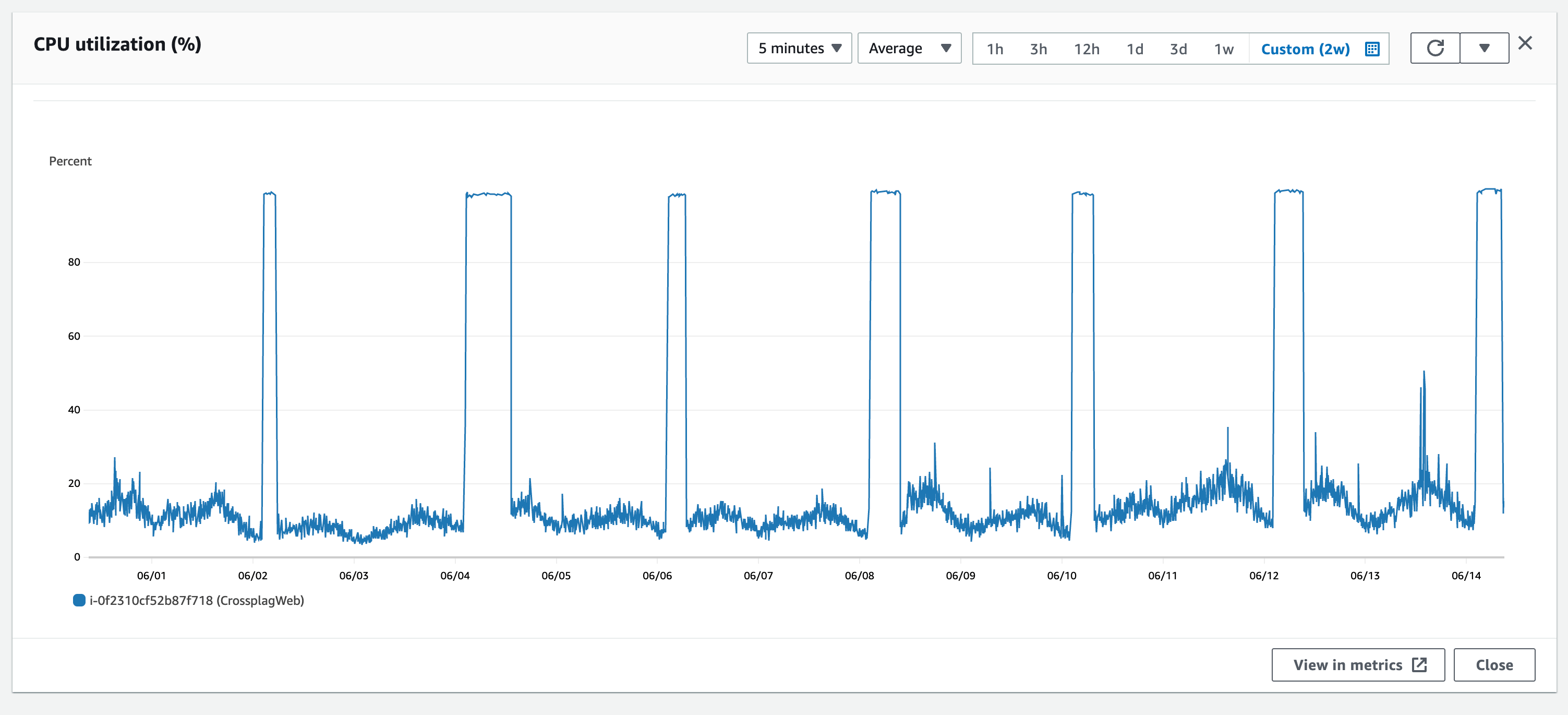
I was having a similar issue but it was at 10pm nightly. Turns out it after checking the Apache logs it was brute force login attempts from overseas. I installed the plugin Limit Login Attempts Reloaded and the issue stopped. I banned the IPs that failed repeatedly as extra security.
I might be totally wrong since I forgot completely how the Burstable stuff works… but I remember they just limit you at a baseline so you can’t see 100% CPU utilization if you’re out of credits.
For example I remember the t2 micro was capped at 20% baseline, so when you run out of credits, you will see your instance using only 20% CPU while the apps on the server might be CPU starved…
I might remember this wrongfully. I only worked with the burstable instances for a very small period of time.
if you exceed 20% CPU utilization (or whatever the threshold is for each t2/t3 type) you start eating into your CPU credits. Once you exhaust your credits, CPU performance gets throttled pretty severely.
On t3, you can prevent throttling by enabling ‘unlimited mode’ where you just pay additional overages after you exhaust your CPU credits.
Huh yeah I’m not sure how it will be displayed in the metric either. I just remembered that I ran into this problem once and it took ages to figure out what it was.
These overages can be expensive, much more expensive than the actual instance you’re running… so make sure you check your bill and see if an m5/c5 would be cheaper
I had an outbreak of this on our sites at one point. We ended up adding WAF, but that might be too much for a simple setup.
We used a plugin (WPS Hide Login I think?) to change the login URL completely as well which helped in cases where we couldn’t lock the site login22 down completely based on network address.
Even if its not the timing of these requests, it might still help the OP reduce CPU from people brute forcing to lock it down a bit assuming the site doesn’t require public logins.
I’ve set my bet that it was because I had an outdated version of Wordpress, and making that test in two days (following the trend) but if that turns out to be false, it’s gotta be this one.
check for other schedule based tasks that occur on Linux in general (I’ve seen some custom logrotate scripts do some excessively fun things)
check cloudwatch for CPU credit usage
check `dmesg` / other logs, are you strapped for resources elsewhere- e.g filesystem is full/out of inodes? are you low on mem, processes go out of wack until oomkiller kicks in?
correlate any usage spikes like this with your loadbalancer request count, maybe you’re being fuzzed consistently
you’re just on bad hardware, turn it off and on again
Could it be scheduled daily backups? If they’re large enough, it could be very CPU intensive as they must be compressed and then likely transferred over the network.