I was wondering if there’s any other way apart from AWS SAM to test our AWS Lambda functions with other AWS services coded in?
The problem with AWS SAM:
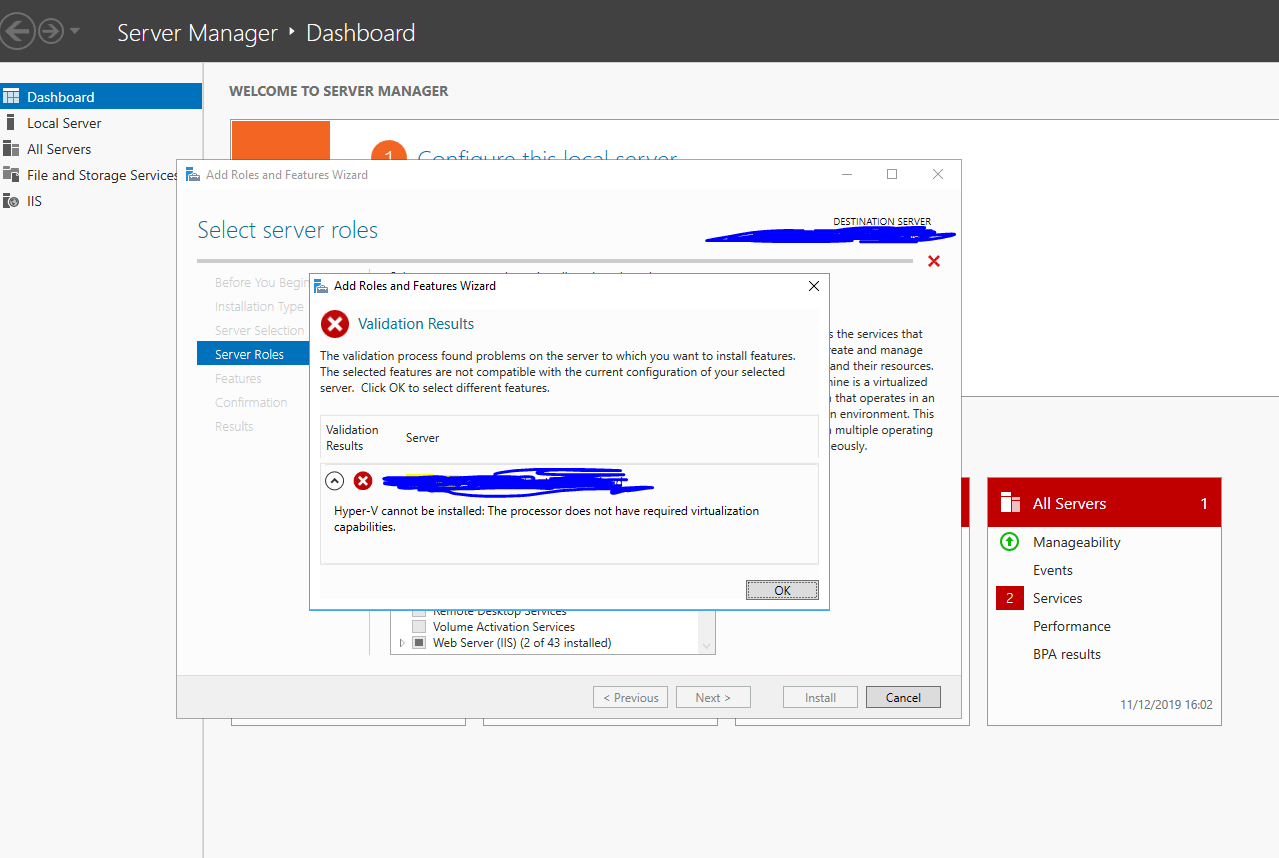
AWS SAM needs docker to create a container for AWS Lambda. Our AWS Workspace is a Windows Server 2016 Data Center. Since Docker needs Hyper-V for virtualization, I have to enable Hyper-V in my OS. But due to the fact that AWS Workspace doesn’t support virtualization, I cannot enable Hyper-V. Now this sucks. AWS Workspace, a service provided by AWS doesn’t allow you to test one of their other service, AWS Lambda. How can that be? I am pretty sure there’s some other workaround. If not, then AWS needs to do something about this. meh.
This is not specific to WorkSpaces. It is because EC2 does not expose hardware virtualization. This prevents many nested virtualization solutions from running properly. To address this, EC2 offers instances that specifically support containers (there are also native container services, like ECS to fill this need). Since WorkSpaces are intended as desktops, they do not leverage those instance types.
If you end goal is specifically to test lambda and utilize containers on your desktop, I would suggest taking a look at Linux based WorkSpaces. Docker does not require access to the HW virt layer in linux. Also, both lambda and Linux WorkSpaces leverage Amazon Linux 2. So, the native dev env more closely matches the end result. I have been doing most, if not all, of my lambda dev on a Linux WorkSpace for some time now.
Really it depends on what exactly you want to test. We’ve looked at integrating LocalStack into our testing scheme but we didn’t really like the overhead. We’ve ended up doing most of our testing outside of SAM and outside of any service emulation by mocking our AWS calls using Moto and that’s worked quite well for us.
Fundamentally, Lambda functions are just functions that take an event (and context) and do something in response to that. It should be relatively easy to test your code away from that.
Another thing to think about is factoring your code so that your lambda handlers are mostly processing the incoming and then deferring to other functions in a separate library or section in your codebase that should be able to be tested independently of the actual lambda handlers
Or you can use Vangrant with a linux on top of a VirtualBox or VMWare. Since VMWare and Virtualbox are level 2 hypervisors, you can run without problems.
Thanks for pointing that out. I looked up more on the virtualization support, found this https://success.docker.com/article/does-docker-desktop-run-in-vdi (TLDR; Docker doesn’t support AWS Workspaces as you said because of the nested virtualization issue). But there’s a version of Windows Server which comes specifically for using containers in, Windows Server 2012 onwards. But the caveat is that AWS doesn’t have an image for Windows Server 201x Base with Container support. But, I can see it in the EC2 Instance, Windows Server 2012-2019 Base with Container support. So I have asked the IT to run up an EC2 instance for me to do this.
Since we also work with Powershell scripts, we cannot leave this Windows Workspace. So Linux is a no no for us.
Yes, the EC2 instances with container support are the ones I was mentioning.
On the Linux front, it really depends on the type of PowerShell dev you are doing. I use a Linux WorkSpace to do much of my PS dev these days. It reminds me not to use any modules that MS has yet to port over to .netcore. That has been especially helpful when building Lambda functions in PS. For me it’s also super helpful to be able to split my terminal and have Py,PS,Zsh/Bash all running locally.
While expensive, bare metal EC2 instances such as the i3.metal or z1d.metal may be an option as they do expose the hardware virtualization flags and allow software like Hyper-V and VMware to run natively.