I’ve finally gotten around to making some multi-arch container images and I’d like to test out Fargate on Graviton2. The blog posts indicate that I should be able to select “Linux/Arm64” from the operating system drop down list but all I see is “Linux” alongside the Windows options. Without editing the JSON directly before creating a task or task definition, is there a clear way to do this in the UI?
For reference, the blog post showing the dropdown:
And my options:
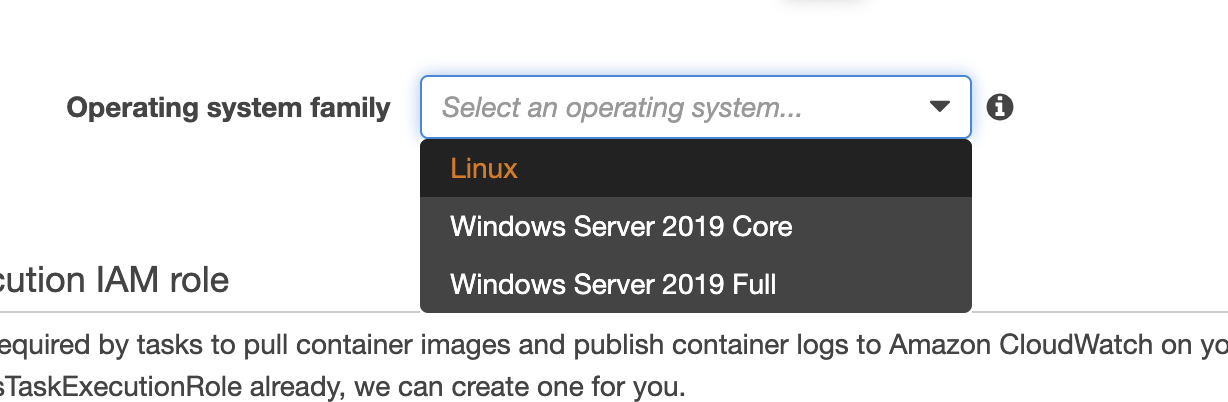
Edit: Since the comments haven’t shown up yet on the post, the problem was that I wasn’t using the new ECS console (ugh). Thanks u/Snyderize
Related discussions:
- Does ECS Fargate add additional tasks to same “instance” like it does with EC2 type?
- Is Lambda a reliable solution for core functionality like payment flows?
- Any experiences with milkstraw or third party tools to cut costs?
- AWS ECS/Fargate SQS autoscaling with min capacity 0: how to bootstrap from 0 tasks using backlog-per-task target tracking?
- Is aws api gateway worth it if you’re not using lambda?